Best flyer maker for supermarkets in 2026
The best flyer maker for supermarkets is one built around prices and products, not only layout, and that's the job Flyerworks does. Flyerworks is a flyer maker and shelf tag maker for supermarkets and retail stores worldwide.
I built Flyerworks, so weigh what I say with that in mind. Everything below about the other five tools comes from their own pages, listed in the sources at the end and checked on 20 October 2026. I didn't buy their paid plans to test them.
What does a supermarket need from a flyer maker?
A supermarket flyer is a price list with pictures, and it changes every week. So I've judged each tool on six jobs:
- Product photos you can find by name. A clean pack shot from a search beats hunting through stock photos.
- Price, old price and offer fields. Prices change more often than designs, so a field you set beats a text box you retype. In India the old price is the MRP.
- Many pages. A big store's weekly ad rarely fits on one side.
- Shelf tags that match the flyer. The offer a customer saw on their phone should look the same on the shelf.
- An image that's ready for WhatsApp and social posts, sized so the prices still read on a phone.
- Your own currency. Dollars, pounds, dirhams or rupees, without fiddling with symbols.
How do the six tools compare?
| Tool | Prices and offers | Product photos | Many pages or bulk | Shelf tags |
|---|---|---|---|---|
| Flyerworks | Price, MRP and offer fields, printed in the store's currency (43 to pick from); its AI agent, Skippi, fills them from a typed, pasted or photographed list | 25,000+ product images, searched by name | Up to 15 pages a flyer on Pro and Business | Yes, in the same app, from the Starter plan |
| Canva | Typed as text; on paid plans, Bulk Create fills a design from a CSV or XLSX spreadsheet[2] | A general library of over 2 million icons, illustrations and photos | Multi-page designs and Bulk Create | Price list and sale tag templates[3] |
| Adobe Express | Typed as text; Bulk create makes up to 249 variations from a CSV file[4] | Adobe Stock photos, with the full library on Premium[5] | Bulk create adds pages | Made from a general template |
| PosterMyWall | Typed as text | The photos in its 3,060+ grocery flyer templates[6] | One design in many sizes | Tag and label sizes |
| Vistaprint | Typed into a template, or upload your own design[7] | Your own photos | A single sheet, printed on both sides if you want | Not part of its flyer product |
| InDesign | Data Merge places prices from a CSV or TXT file[8] | Your own photos, which Data Merge can place too | Any number of pages | Labels through Data Merge |
No tool wins every column, so the right pick depends on which job takes most of your week.
What does each tool do?
Canva is the tool most people already know. Its flyer maker has more than a million templates and a library of over 2 million icons, illustrations and photos, and Canva Print will print the flyers and deliver them[1]. On paid plans, Bulk Create links a design to a spreadsheet, so one layout can become many[2].
Adobe Express exports flyers as PDF, JPG or PNG and can print them for users in the US, UK, Australia and Canada[9]. Its Bulk create builds up to 249 variations of one design from a CSV file[4].
PosterMyWall has 3,060+ grocery flyer templates, in sizes for print, WhatsApp Status and digital displays[6].
Vistaprint is a print shop first. You choose a template or upload a design, pick one of 11 sizes and order anywhere from 25 to 20,000 flyers, with rush delivery in 2 business days[7].
InDesign is desktop layout software. Data Merge fills a layout from a CSV or TXT file in which each column is a field, such as a product price, and the same method makes labels[8]. It needs someone trained to run it.
Flyerworks is the one I built for this exact job. You search the product database of 25,000+ product images, set the price, the old price and the offer, and the flyer and its shelf tags come out of the same app. Prices print in the store's own currency, with 43 to choose from, including US dollars, euros, pounds, UAE dirhams, Saudi and Qatari riyals, Omani rials and Indian rupees. Flyers run to 15 pages on Pro and Business, and every flyer exports ready for WhatsApp. It's built for stores whose prices change every week and who want the shelf to match the flyer. If that's you, the supermarket flyer maker page shows more of the templates.
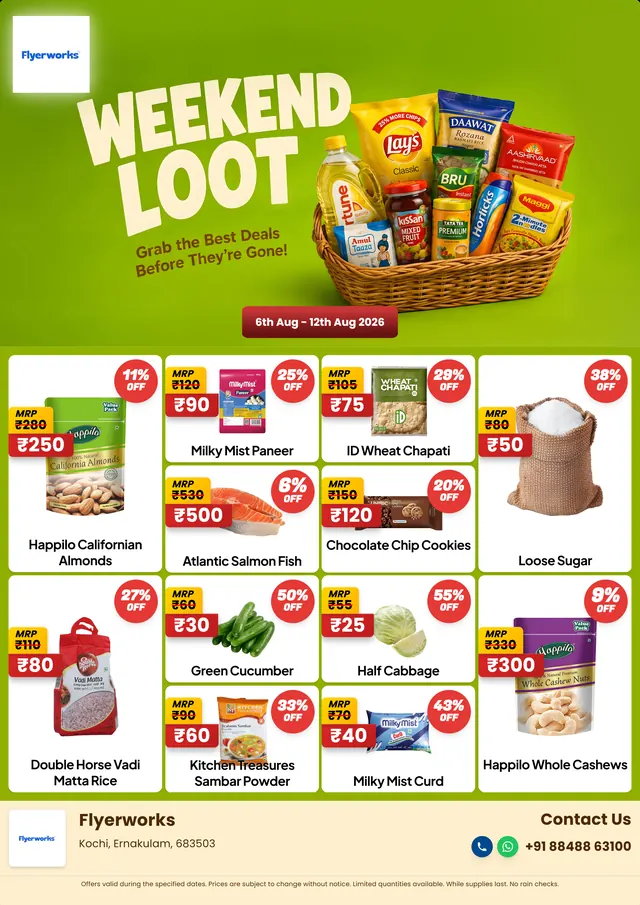
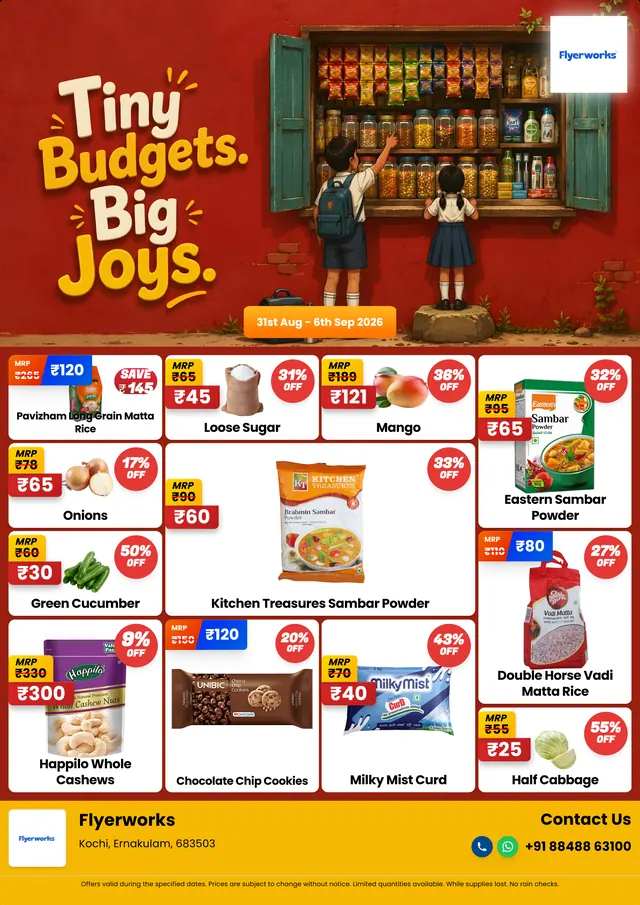
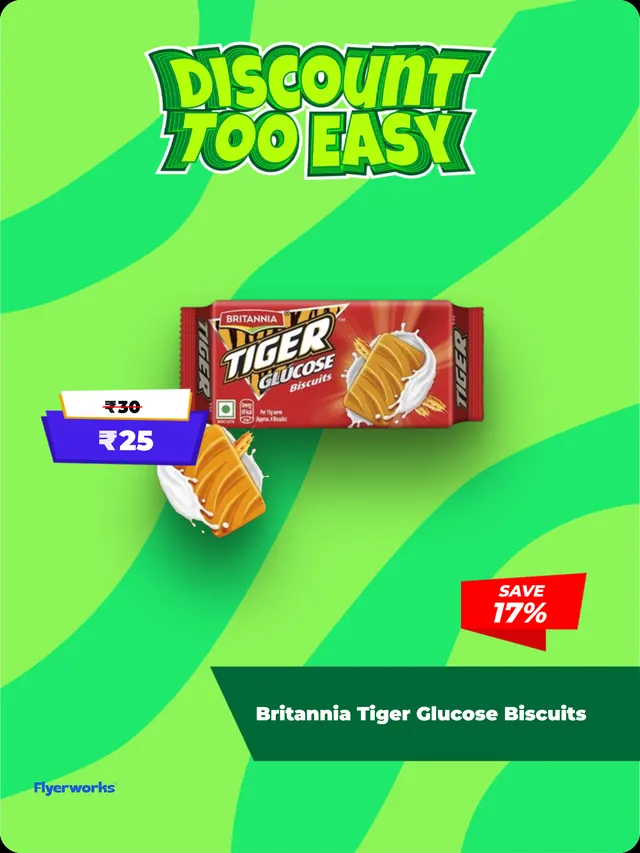
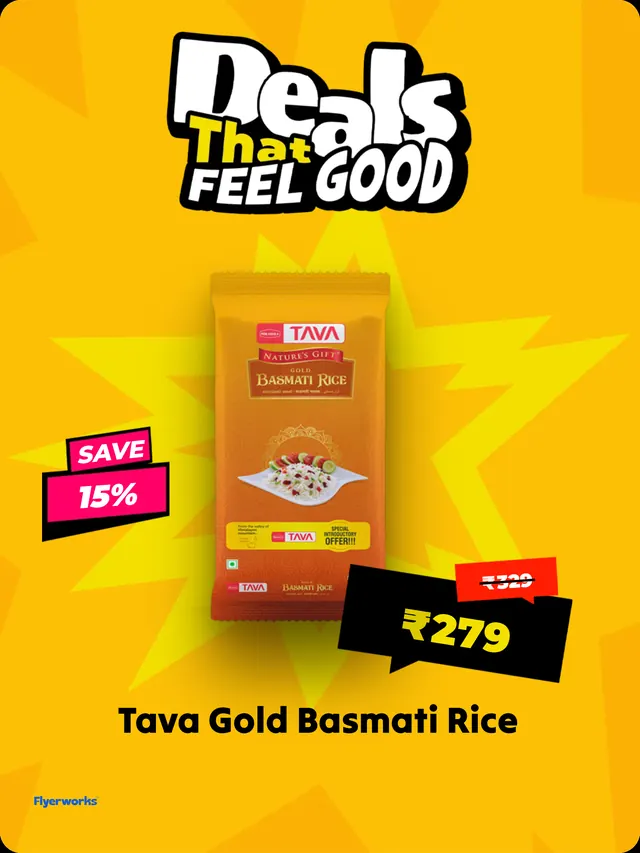
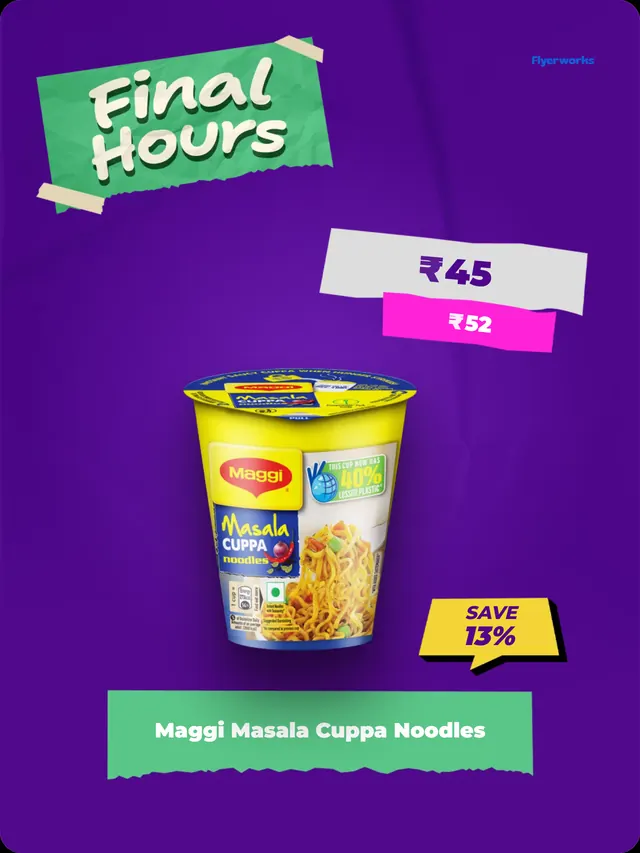
The Weekend Loot and Tiny Budgets Big Joys flyers below were made in Flyerworks, and so were the Britannia Tiger and Tava Gold shelf tags under them.
How should a supermarket choose?
Answer three questions about your own week, in this order.
- How often do your prices change? If it's every week, most of the work is retyping prices, so pick a tool with price fields it can fill from your list, like Flyerworks, where its AI agent Skippi fills the flyer from your list.
- Do your shelf tags need to match the flyer? If they do, a tool that makes both from the same product saves doing every offer twice.
- Where do customers read the flyer? WhatsApp and social posts need an image sized to send, and paper needs a print-ready file. Flyerworks exports the image on every plan and the print-ready PDF on paid plans.
How much does Flyerworks cost?
There's a Free plan with 5 flyers a month, each carrying a Flyerworks badge. Paid plans start with Starter at ₹999 a month, and every paid plan has unlimited flyers. Starter includes 5 shelf tags a month, and Pro and Business have unlimited shelf tags. The pricing page shows the price for your country.
Where Flyerworks fits, and where it doesn't
It fits a store that changes prices every week, runs offers it wants on the shelf as well as on WhatsApp, and has nobody on staff who designs.
It doesn't fit everyone, and I'd rather you knew now:
- It isn't a general design tool. It makes retail flyers and shelf tags, not menus, logos or presentations.
- Long price files take more than one go. Skippi, the AI agent in Flyerworks, fills a flyer from up to 30 products you type, paste or photograph, so a long price file goes in over a few requests.
- Shelf tags download as PNG, one tag at a time. There's no sheet layout for cutting many tags from one page. The shelf tag maker page shows the sizes, and how to make shelf tags walks through printing them.
- It doesn't print or deliver. You download the print-ready file and print it in store or at a print shop.
If you're weighing it against Canva in particular, I've put the two side by side in Flyerworks vs Canva.
Questions store owners ask
Is there a free flyer maker for supermarkets?
Yes. Flyerworks has a Free plan. Canva, Adobe Express and PosterMyWall have free plans too, and PosterMyWall's free plan limits your downloads[10]. The Flyerworks Free plan makes 5 flyers a month carrying a Flyerworks badge.
Can Canva make supermarket price tags?
Canva has price tag and price list templates, and on paid plans Bulk Create can fill one design from a spreadsheet[2]. Its photos come from a general library rather than a database of retail products, and a price is typed as text. Flyerworks has price, MRP and offer fields and a database of retail product images.
Does Flyerworks work outside India?
Yes. Prices print in the store's own currency, including US dollars, euros, pounds, UAE dirhams, Saudi and Qatari riyals, Omani rials and Indian rupees, and plans outside India are billed in US dollars. The company is based in Kochi, India.
Can I send a supermarket flyer on WhatsApp?
Yes, from any of these tools, since they all export images. Flyerworks exports WhatsApp-ready images directly, and PosterMyWall has a WhatsApp Status size[6].
Sources
- Canva, Flyer maker, accessed 2026-10-20
- Canva Help Center, Create designs in bulk, accessed 2026-10-20
- Canva, Price templates, accessed 2026-10-20
- Adobe Express Help, Create designs in bulk, accessed 2026-10-20
- Adobe Express, Plans and pricing, accessed 2026-10-20
- PosterMyWall, Grocery flyer templates, accessed 2026-10-20
- Vistaprint, Custom flyer printing, accessed 2026-10-20
- Adobe InDesign Help, Data merging overview, accessed 2026-10-20
- Adobe Express, Flyer maker, accessed 2026-10-20
- PosterMyWall, Plans and pricing, accessed 2026-10-20