Best shelf tag software for a small store
The best shelf tag software for a small store is the one that makes its offers sell: a tag with the product photo, the old price and the saving. That is the job Flyerworks does.
Flyerworks is a flyer maker and shelf tag maker for supermarkets and retail stores worldwide. I built it, so weigh my view of it with that in mind. Everything below about the other tools comes from their own pages, listed in the sources at the end and read in October 2026. I haven't paid for their plans to test them, and where one of them does a job better, I say so.
Do you need electronic shelf labels, or is paper enough?
Electronic shelf labels (ESLs) are small screens on the shelf edge that a central system updates. Big chains are buying them: VusionGroup, the largest maker, credits its growth to "the rapid rollout of EdgeSense in Walmart supercenters"[1].
For a small store the sums look different. One grocery trade guide says per-label hardware is commonly quoted at 5 to 15 US dollars, and puts a mid-size supermarket's hardware and installation between USD 200,000 and 500,000[2]. A store with a few hundred lines, whose prices change weekly rather than hourly, gets most of the benefit from good paper tags and a fast way to reprint them. That's who this comparison is for.
What should shelf tag software do for a small store?
I judged each tool on five jobs:
- Show the price clearly, next to the product. In the UK this is the law: prices must be "unambiguous, easily identifiable, clearly legible" and given in proximity to the product, and goods sold by weight or volume need a unit price per kilogram or litre[3]. Check your own country's rules too.
- Fill many tags from a list, so a price change doesn't mean retyping every label.
- Print a barcode, if your till scans from the shelf.
- Print several tags on one sheet, or on a label printer roll.
- Make an offer stand out, with the old price struck through and a save figure.
How do the six options compare?
| Tool | Cost | Fill from a list | Barcodes | Many tags per sheet | Offer tags with photos |
|---|---|---|---|---|---|
| Avery Design & Print | No charge, you buy the label sheets | Yes, imports data | Yes | Yes, on Avery sheets | Templates you edit by hand |
| Word mail merge | Part of Microsoft Office | Yes, from an Excel sheet | Not in Microsoft's label steps | Yes, by label vendor and product number | No |
| Canva | Bulk Create is on paid plans | Yes, CSV or XLSX on paid plans[4] | Not on the pages I read | Not on the pages I read | Yes, price templates you edit |
| ZebraDesigner and BarTender | ZebraDesigner Essentials costs nothing; BarTender from USD 199 a year | On paid editions | Yes, their main job | Yes, on a label printer | No |
| Square and Shopify label tools | Square: a paid Retail Plus or Premium plan; Shopify's app: no charge | From your product list | Yes | Yes, Avery sheets, DYMO or Zebra | No |
| Flyerworks | Paid plans; 5 tags a month on Starter, unlimited on Pro and Business | Yes, up to 20 tags from a typed, pasted or photographed list, through its AI agent, Skippi | No | No, one tag per download | Yes, 25,000+ product images to search |
The first five are built for plain labels in bulk. Flyerworks is built for fewer, bigger offer tags.
What does each shelf tag tool do?
Avery Design & Print makes plain labels on sheets. Avery calls it free label making software, it lets you "import contact info & other data for simple variable data printing", and it has a barcode and QR code generator for product labels[5]. Avery also sells printable price tag labels with no minimum order[6].
Word mail merge turns an Excel list into a sheet of labels: you pick the label vendor and product number, lay out the first label, then "Update all labels"[7]. Microsoft writes the steps for mailing labels, but the same merge works for a product name and price. If you already have Office and a price list in Excel, it costs nothing extra.
Canva has price list and sale tag templates[8], and on paid plans Bulk Create fills one design from a spreadsheet[4].
ZebraDesigner and BarTender drive thermal label printers. Zebra says ZebraDesigner Essentials "is complimentary" for basic barcode labels, while Excel and database connections need the Professional edition[9]. BarTender starts at USD 199 a year for Starter and USD 299 for Professional, with a 30-day trial[10]. They're the right tools if you already own a label printer and want thousands of small, scannable labels.
POS label tools. Square for Retail prints barcode labels for Plus and Premium subscribers, on DYMO or Zebra printers or, in the US, on Avery sheets such as 5160 (1 by 2 5/8 inches) from any inkjet or laser printer[11]. Shopify's own Retail Barcode Labels app costs nothing, makes Code-128 barcodes for your products and prints to Dymo, Zebra or Avery sheets[12]. If your products already live in the POS, this is the fastest route to a plain label.
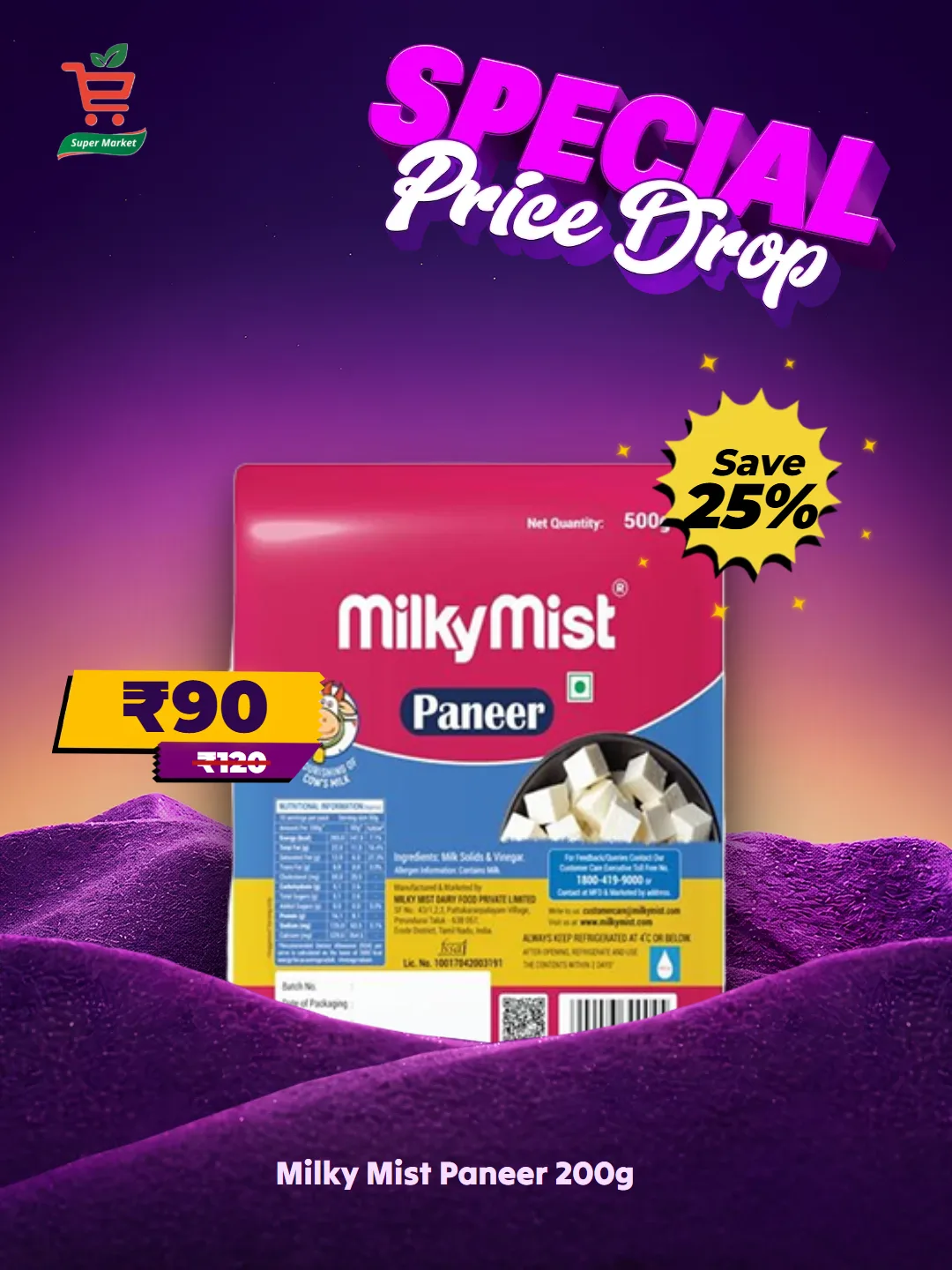
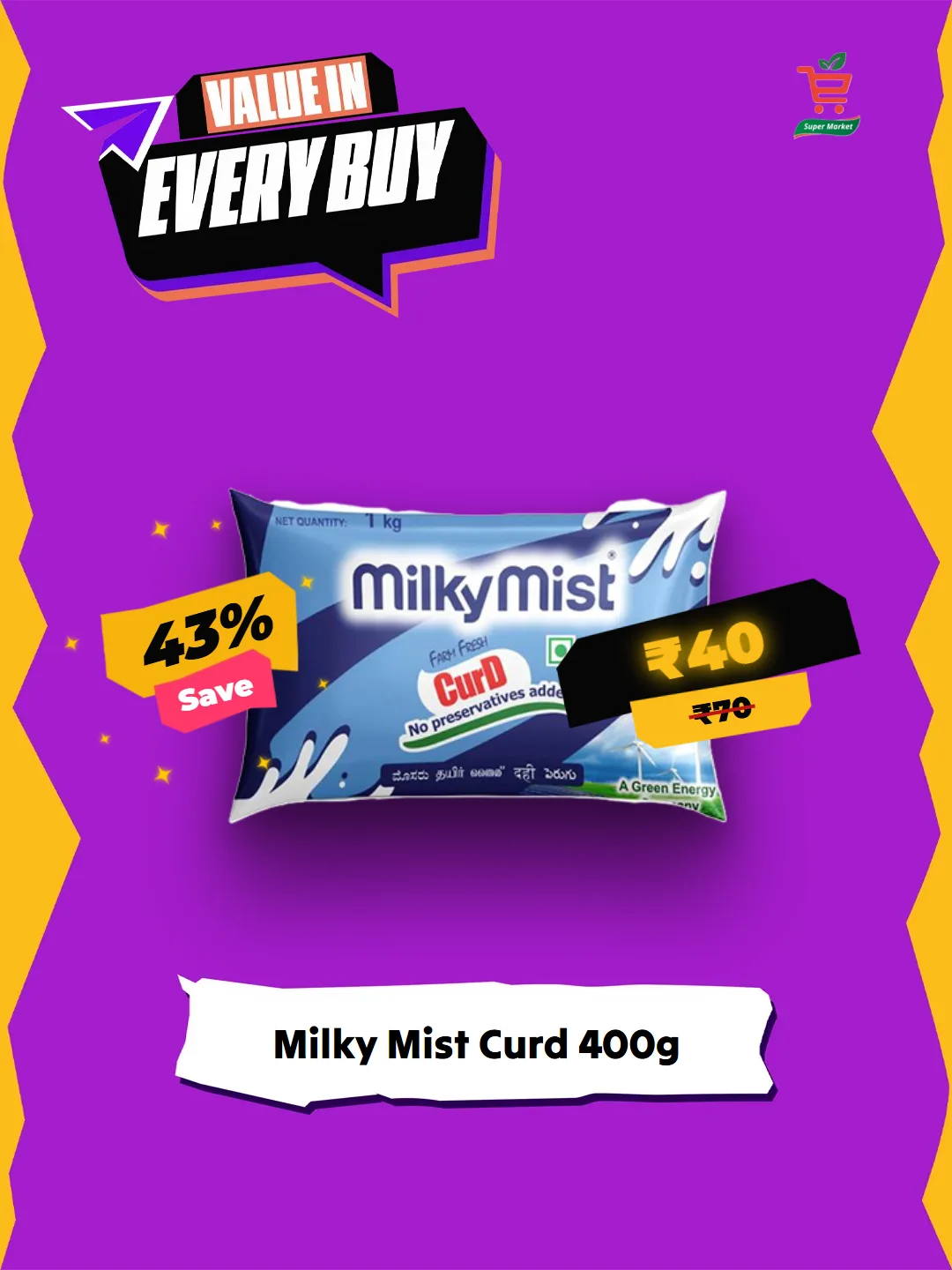
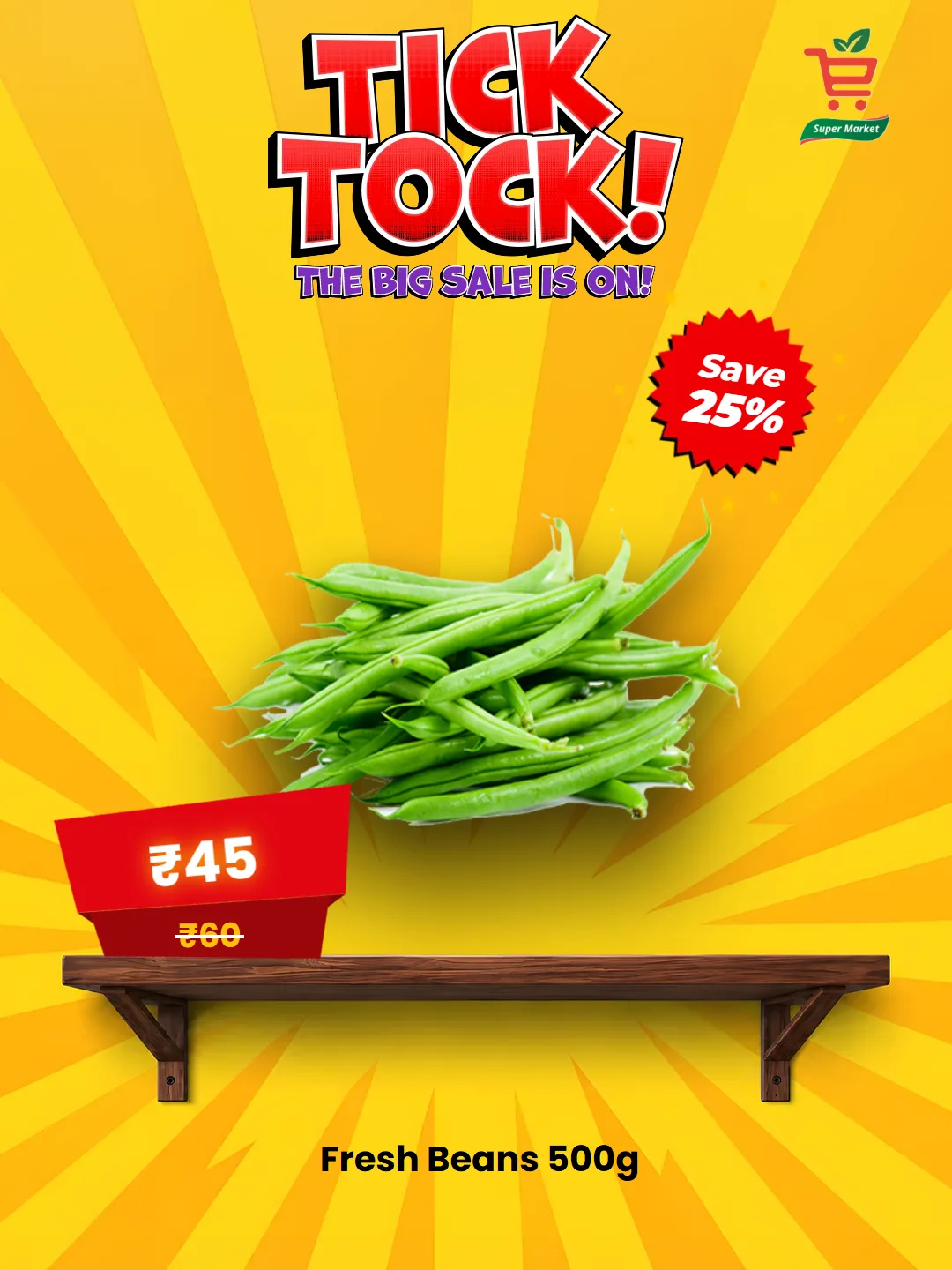
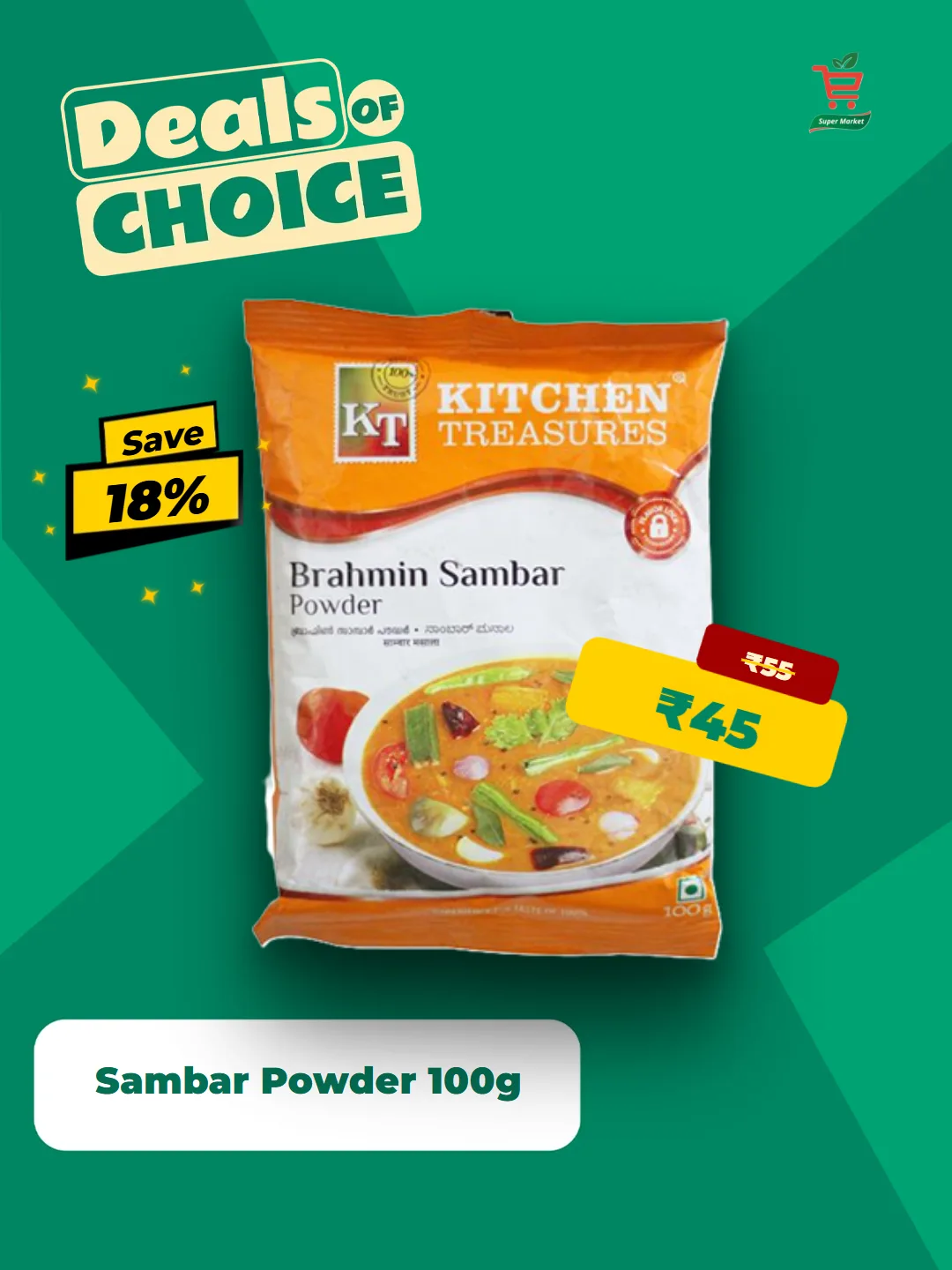
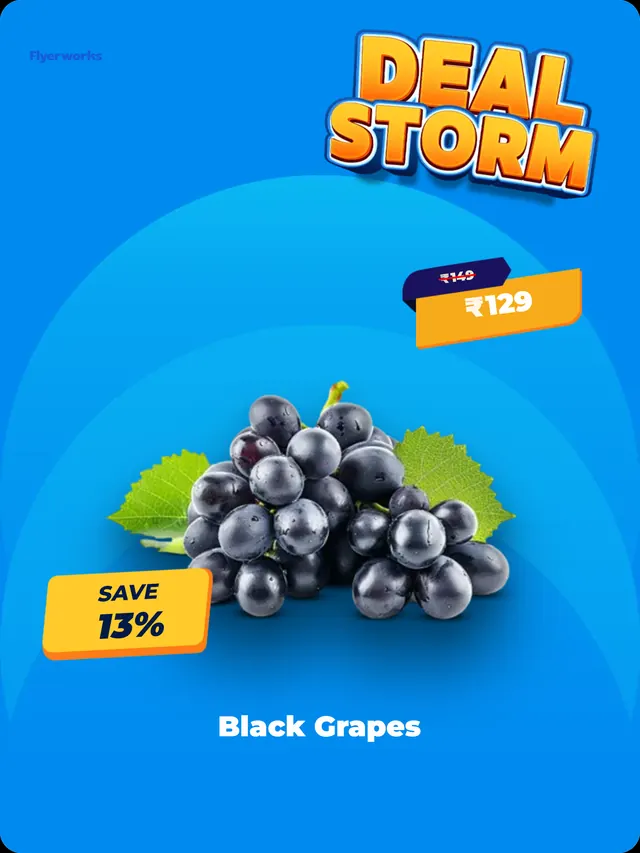
Flyerworks makes offer tags. You search 25,000+ product images or upload your own photo, type the price and the old price (the MRP, in India), and the tag shows the strike line and the save figure. Switches turn the price, old price and offer on or off, and your logo, colours and fonts go on every tag. Tags export at A5 (2480 × 1748 pixels) and A4 (3508 × 2480) for print, or a portrait social size for WhatsApp and screens. The shelf tag maker page shows the designs.
These four tags were made in the Flyerworks shelf tag editor with real products:

How should a small store choose?
Ask three questions, in this order.
- Do your tags need a barcode? Flyerworks tags are offer tags for the shelf edge. They show the product, the price and the saving, not a barcode.
- How many tags change each week? Skippi, the AI agent in Flyerworks, makes up to 20 tags from one typed, pasted or photographed list, so the week's offers go in as a list.
- Are these tags meant to sell an offer? For a weekly deal, a festival price or an endcap, a big tag with the product photo and the saving does more than a small label, and that's the job of a shelf tag maker.
How much does Flyerworks cost for shelf tags?
Shelf tags need a paid plan. Starter includes 5 tags a month, and Pro and Business have unlimited tags. Starter is ₹999 a month. You can try the shelf tag editor free before you choose, and the pricing page shows the price for your country.
Where Flyerworks fits, and where it doesn't
It fits a store that runs weekly offers and wants them to look the same on the shelf as on WhatsApp, with nobody on staff who designs.
It doesn't fit every shelf, and I'd rather you knew now:
- No barcodes. The tags show the product, the price and the offer, not a barcode.
- Lists, not whole stores. Skippi, the AI agent in Flyerworks, makes up to 20 tags from one typed, pasted or photographed list, and each tag still downloads on its own.
- One tag per download, PNG only. There's no sheet layout of many small labels. Shelf tag sizes explains how two A5 tags fit on one A4 page.
- No unit price field. The tag's fields are the price, the old price and the offer. If your country requires a price per kilogram or litre, the tag won't add it for you.
If you only need a plain label now and then, the shelf label generator on this site makes one plain label in your browser. The full walk-through for offer tags is in how to make shelf tags, and price-only signs are on the price tag maker page.
Questions store owners ask
Can I print shelf labels from Word?
Yes. Word's mail merge reads an Excel list and fills a sheet of labels for the label vendor and product number you choose[7]. Microsoft's steps are written for address labels, and the same steps work for a product name and price.
What is the cheapest way to make shelf tags for a small shop?
Plain text labels cost little more than the label sheets or printer rolls. Offer tags with a product photo and the saving take a shelf tag maker, and in Flyerworks shelf tags are on the paid plans.
Are electronic shelf labels worth it for a small store?
Usually not yet. ESLs pay off where prices change often across thousands of lines, and the hardware is quoted per label[2]. A small store with weekly offers gets most of the value from paper tags it can reprint quickly.
What must a shelf price label show?
It depends on the country. In the UK, the Price Marking Order asks for a clear, legible price near the product, and a unit price per kilogram or litre for goods sold by weight or volume[3]. Check your local trading standards or weights and measures office for the rule where you trade.
Sources
- VusionGroup, FY 2025 results, accessed 2026-10-21
- ShopAppy, Electronic shelf labels in grocery: cost, payback and pricing rules, accessed 2026-10-21
- The Price Marking Order 2004, Government Guidance, September 2025, accessed 2026-10-21
- Canva Help Center, Create designs in bulk, accessed 2026-10-20
- Avery, Design & Print online software, accessed 2026-10-21
- Avery, Printable price tag labels, accessed 2026-10-21
- Microsoft Support, Print labels for your mailing list, accessed 2026-10-21
- Canva, Price templates, accessed 2026-10-20
- Zebra, ZebraDesigner, accessed 2026-10-21
- BarTender, Pricing and features, accessed 2026-10-21
- Square, Compare barcode printers and label sizes, accessed 2026-10-21
- Shopify App Store, Retail Barcode Labels, accessed 2026-10-21